
R
ecent research continues to show that more and more EFL/ESL classrooms, not only in Japan but in other countries (e.g., Saudi Arabia, Singapore, Malaysia), have been utilizing gamification with the aim to facilitate English learning (Zhang & Hasim, 2023). Reported benefits of gamification include immediate feedback, development of social learning, and increased motivation (Gil-Acirón, 2022). These benefits have led to the creation of various educational gaming programs, such as Kahoot!, Quizizz, Factile, and Baamboozle. Wordwall (wordwall.net) is another online platform that teachers can use to easily create interactive activities. The games on Wordwall may be used in both online and face-to-face classroom settings. It offers different subscription plans for schools and individuals. This article will focus on how Wordwall may be used for warm-up or review activities.
How to Create Activities
Choose a Template
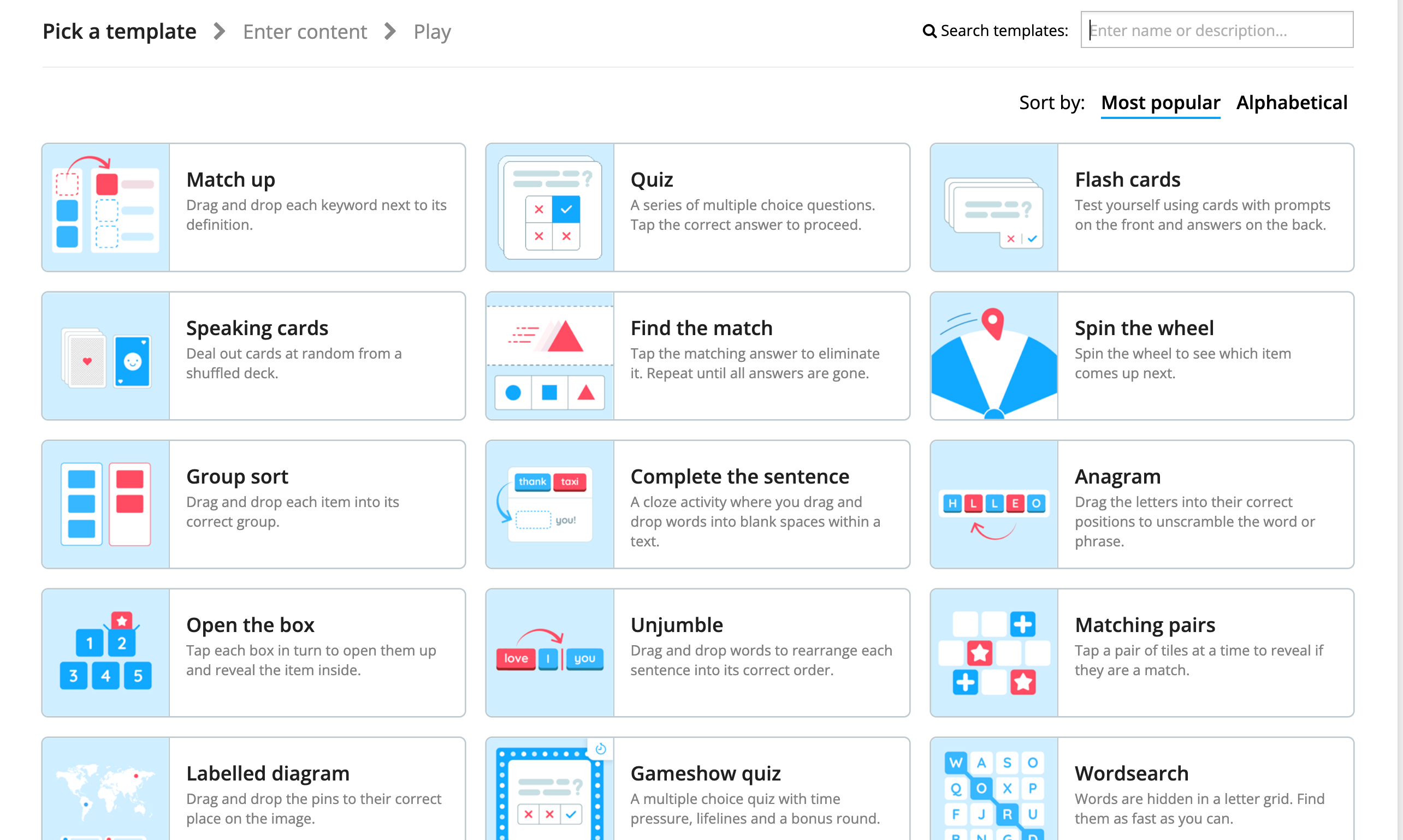
There are 18 templates available for all membership plans (see Figure 1). I like to use different templates for different activities. For example, Wordsearch, Flip Tiles, and Matching Pairs are good for vocabulary activities. Additionally, Spell the Word may be ideal for spelling practice. One way to do it is to provide an image of the word to be spelled. To add a listening component, Wordwall has an add sound feature. This allows me to type in the spelling of the word and generate audio for it. For impromptu speaking and writing activities, Spin the Wheel, Flash Cards, Flip Tiles, and Open the Box work well. I often use Spin the Wheel because it is easy to prepare and can be used for various grammar targets or just a simple game like Name 3 (e.g., fruits) or Name 5 (e.g., things in a classroom). For grammar-related games or activities, Complete the Sentence, Quiz, and Gameshow Quiz can be used.
Figure 1
Free Standard Templates for Activities
Enter Your Content
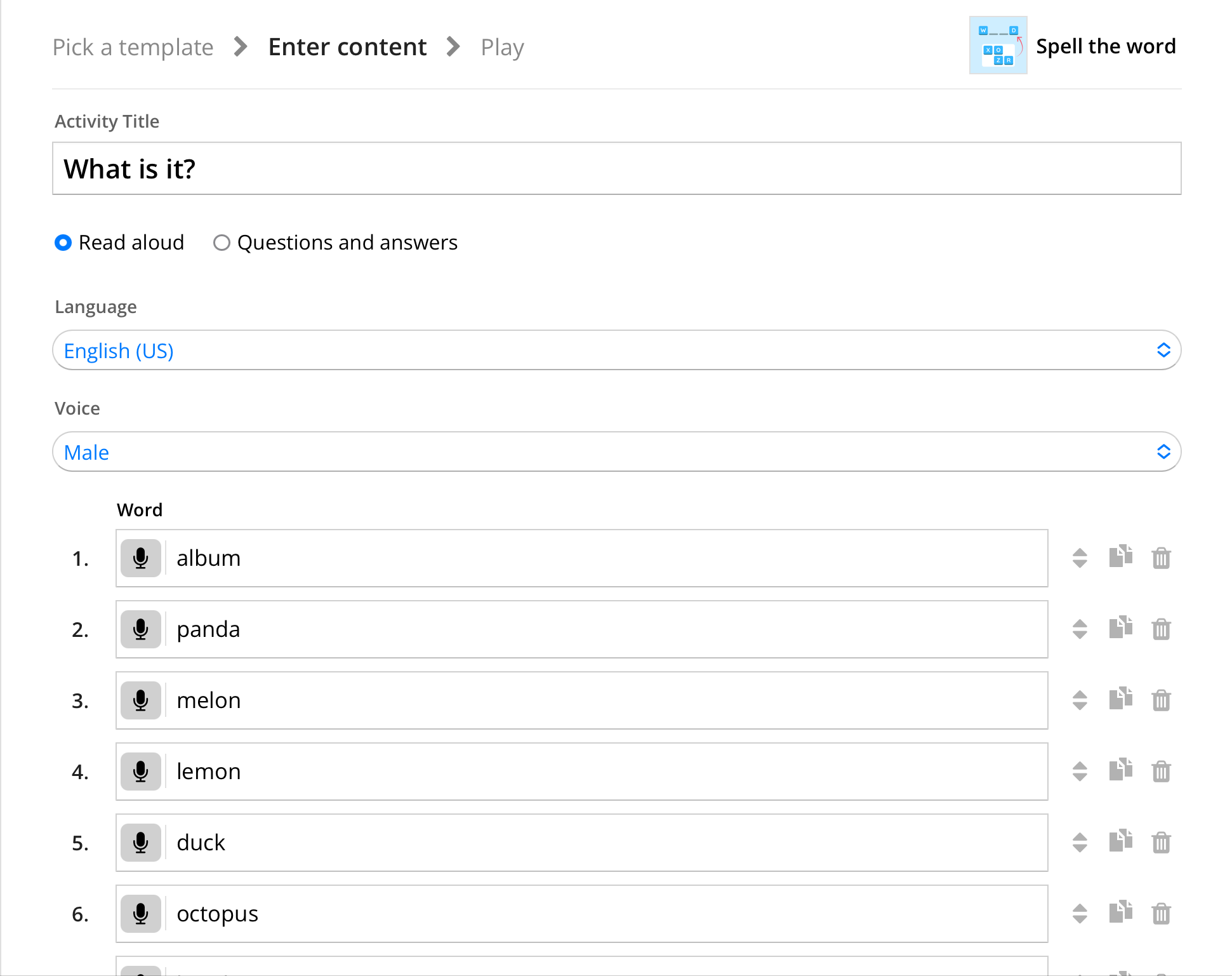
After selecting a template, type in the content (see Figure 2). Some templates offer an option to search and upload a photo to accompany the text. This makes it easier for the teacher because the image is already next to the word. Some templates also have a text to speech feature, which makes them suitable for listening activities.
Figure 2
Enter Your Activity Content
The teacher can also select from about 20 visual styles to suit the theme of the activity or the age level of the students. Autumn, spring, winter, and Christmas visual styles create a mood for the season while the primary or classroom visual styles may help reduce any visual distractions. There are also six font choices. For the junior high and high school level classes at the eikaiwa (English conversation) school where I taught, the visual styles had no significant effect on student interest in the activity.
Implementation in the Classroom
Wordwall gives the teacher the flexibility on how to implement their activities in both an online classroom setting and a face-to-face learning environment. In addition to ensuring the activity meets the lesson objectives, the following are some other questions to consider:
Who are the students? How many are there?
What resources are available? How can the activities be shared (e.g., through smart board, TV, tablets or devices, internet connectivity)?
Will the activity be teacher-led or student-led?
Will a group of students share one device?
How will the activity be monitored?
How will feedback be provided?
Advantages and Drawbacks of Using Wordwall
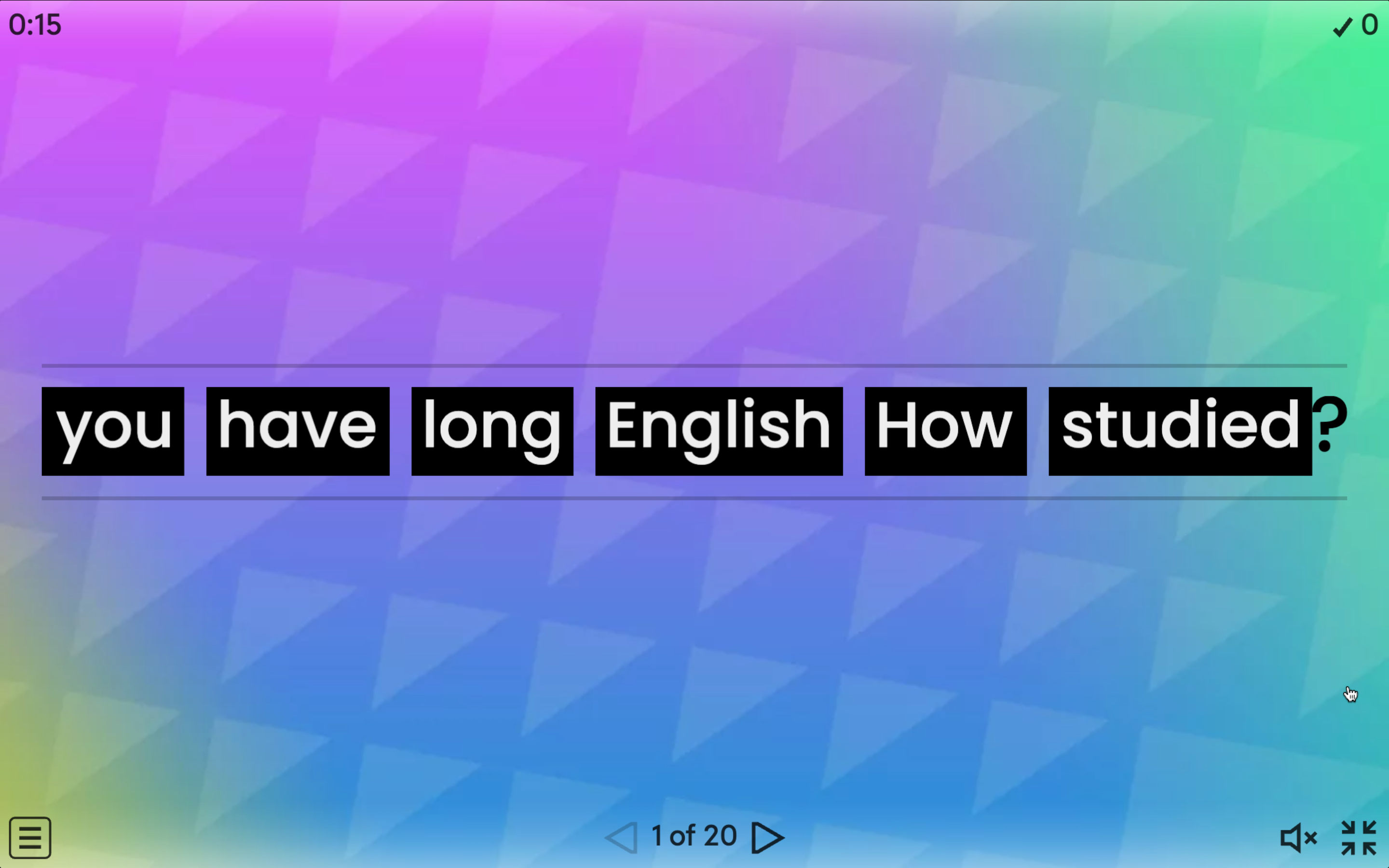
The 18 standard templates give the teacher plenty of choices for activities to create (see Figures 3 and 4). However, unlike other platforms that allow the teacher to import questions from a source file, the teacher has to type the content or copy and paste from a source file (Khánh, 2021). I subscribed to both the standard and pro plans for a few months, and I was able to create activities using the pro templates. Having access to activities created with pro templates enables me to use them for other language targets.
Figure 3
The Spell the Word Activity May be Used for Vocabulary Activities
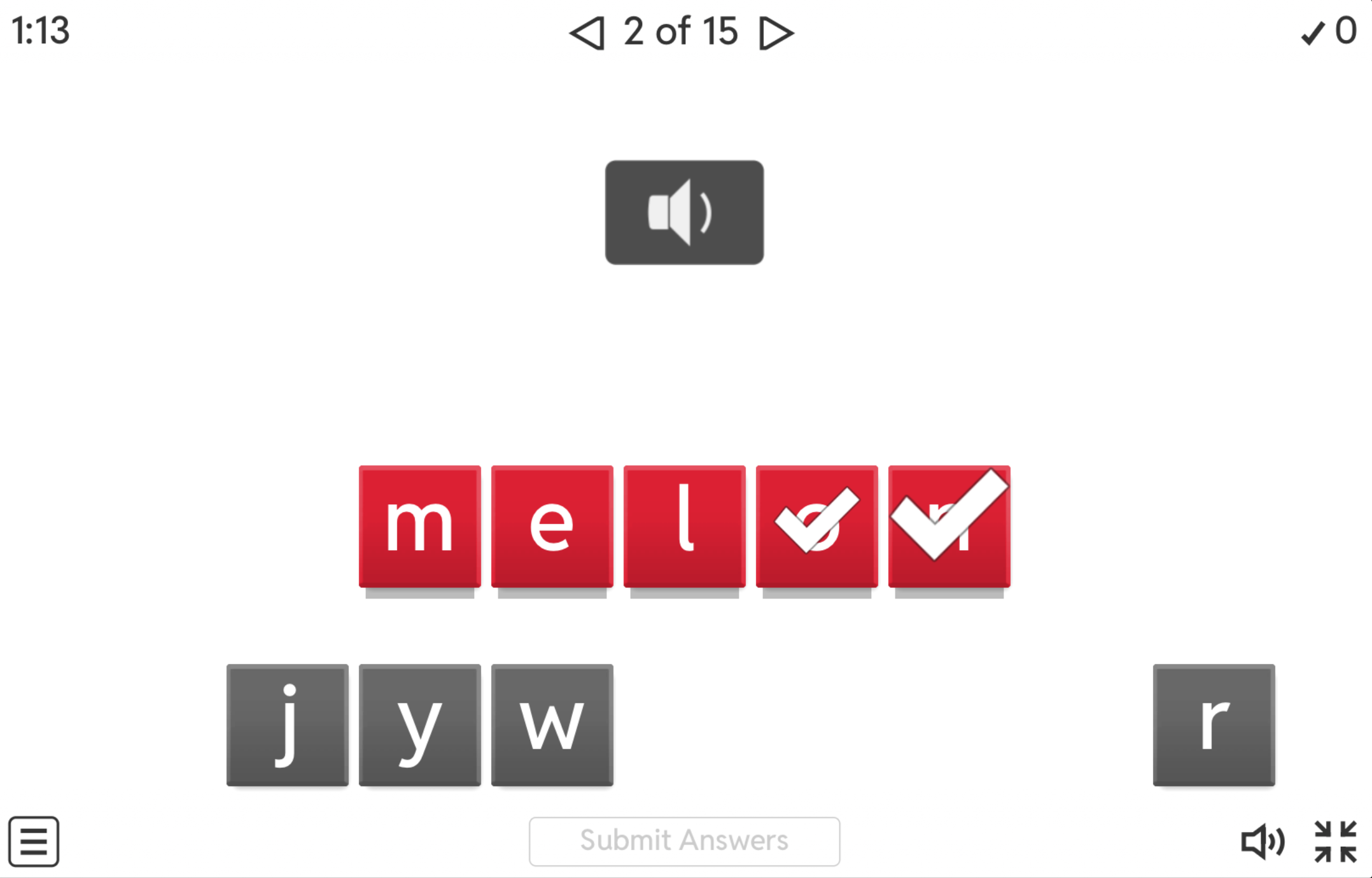
Figure 4
The Unjumble Activity May be Used for Grammar Activities
In my eikaiwa class, I taught eight students. We used one iPad to play the game. These students used Spin the Wheel and Open the Box for impromptu speaking activities. The students had to spin the wheel or open the box, read the question, and give a short speech afterwards. There are different ways to run this activity. For time constraints, everyone answers the same question. If time is not a consideration, students take turns spinning the wheel or opening a box and answering questions. To make it more challenging, the class can decide how long each student should speak to answer the question. Also, the other students have to ask a follow up question afterwards. This is one way to ensure that the other students are listening. It is also one way to help build their ability to ask questions.
For a grammar review activity, we used Open the Box. This was done by connecting a laptop to a projector. The students chose and opened a box, looked at the picture, and practiced the lesson’s target language. To further gamify the activity, one box had a trophy, and another box had a bomb. The student or the team that opened the box with the trophy was the winner or earned additional points. The student or the team that opened the box with the bomb had to face a consequence or lose points. Consequences can be as simple as doing five jumps or three hops. The students are given two choices of a physical activity to do. In terms of feedback, the focus was more on being able to do the task rather than on winning. This was to reduce any effect on student motivation.
Depending on the content and the template used to create the resource, the activity can be switched to a different template to present the content in a different way (see Figures 5 and 6). Switching to a different template may make the activity easier or more challenging depending on how the teacher sets it up.
Figure 5
Spin the Wheel Template
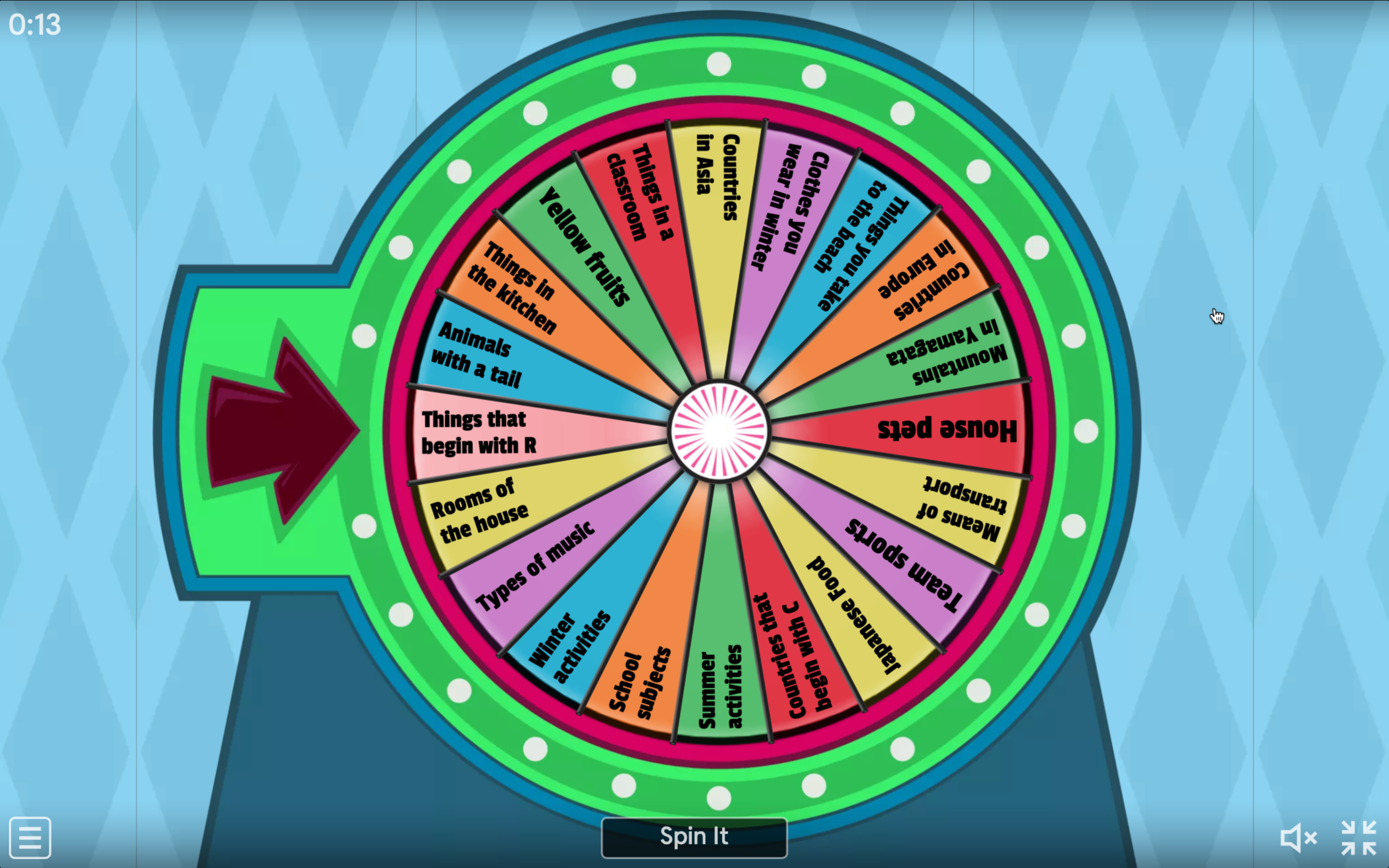
Figure 6.
Open the Box Template
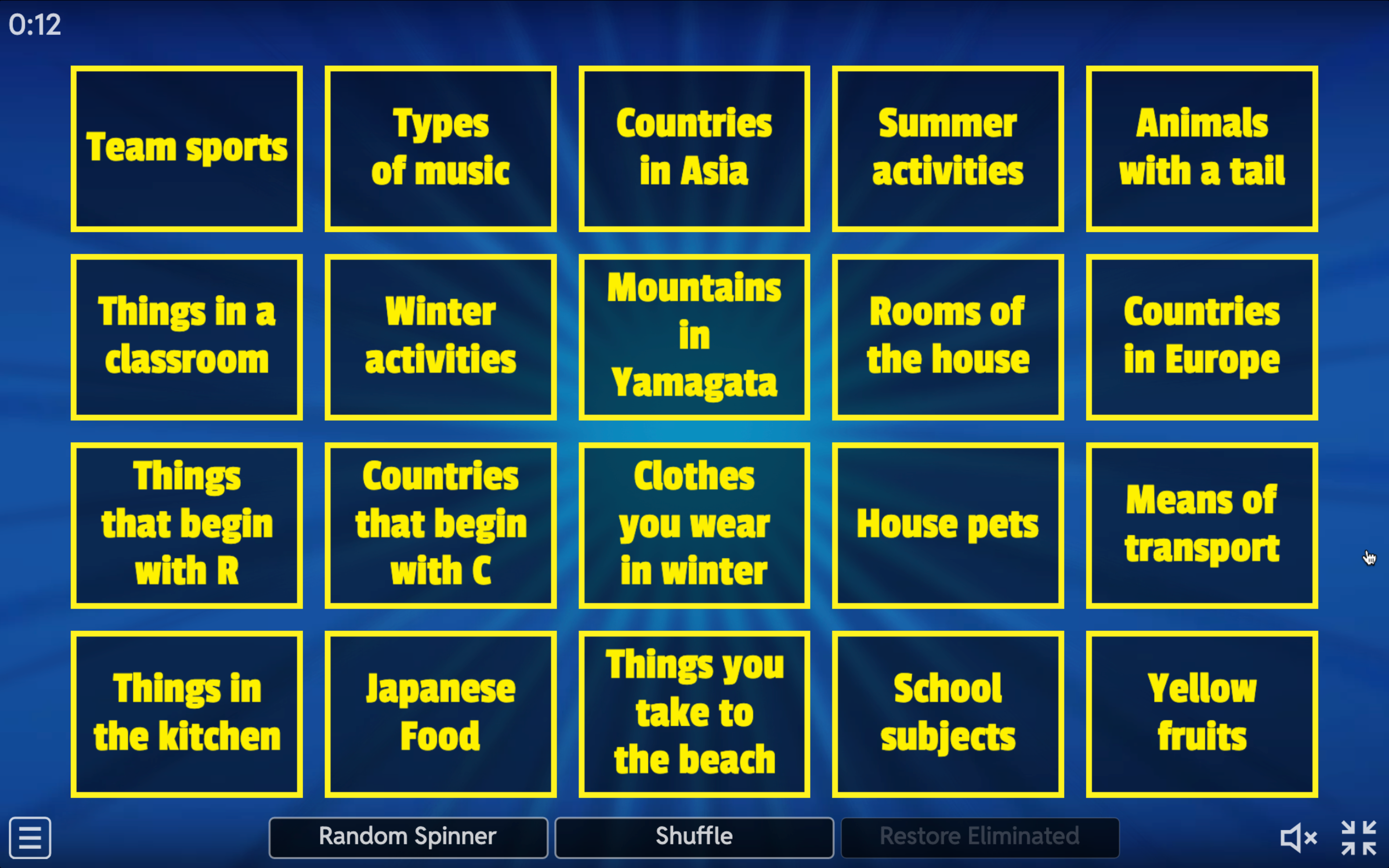
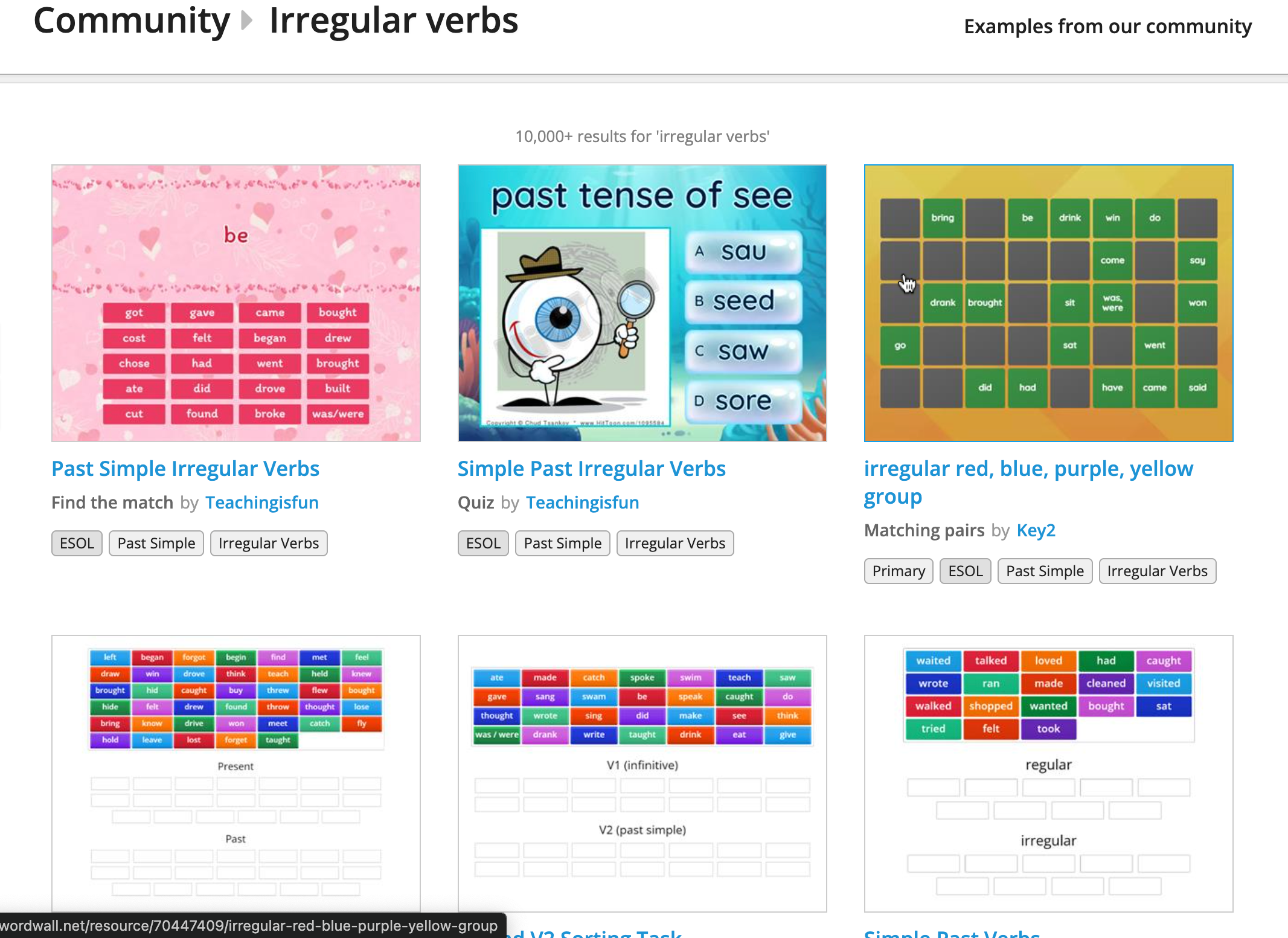
Teachers who do not wish to create an account and make their own activities may also search for pre-made ones. Wordwall has a community section with plenty of available and ready-to-use activities (see Figure 7). However, the teacher still has to carefully check that the pre-made activity matches the needs of the class/students. This can be made easier as some pre-made activities allow editing. On the activity page, click Edit Content to modify the content. The activities can be shared with students or fellow teachers via email or on social media. Prior to creating a Wordwall account, I used pre-made activities for warm-up speaking activities.
Depending on how the game is implemented, other students may not be as engaged or lose interest while waiting for their turn to play, particularly in classes with a large number of students. Most, if not all, activities are also teacher-led. A teacher who wants a more student-led/student-centered activity would need to think of how to make the activity more student-led/student-centered.
Figure 7
Pre-Made Activities Via the Community Page
Conclusion
Wordwall is a recommended resource for review activities, for warm-up activities, or as a filler activity in case there are a few minutes left before the class ends. While the basic free plan only allows five free activities, the teacher has the option to edit the activities to meet the class needs/objectives. Alternatively, the teacher may consider subscribing to a standard or pro plan for a short period of time to gain access to the pro templates and create activities using said templates. Teachers who opt not to create a Wordwall account have the option to access pre-made activities that meet their lesson objectives. Overall, Wordwall provides teachers the opportunity to gamify their lessons through various activities. The teacher may customize the activities to suit their class needs. Activities offer the flexibility to be used for speaking, reading, listening, and writing activities.
References
Gil-Acirón, L. Á. (2022). Beneficios de la gamificación en el aprendizaje de segundas lenguas [Benefits of gamification in second language learning]. Epos Revista de Filología, 38, 103–126. https://doi.org/10.5944/epos.38.2022.33785
Khánh, L. B. (2021, August 23). A quick review of Wordwall’s pros and cons. Link Things. https://linkthings.org/2021/08/23/reviewwordwall/
Zhang, S., & Hasim, Z. (2023). Gamification in EFL/ESL instruction: A systematic review of empirical research. Frontiers in Psychology, 13, 1–12. https://doi.org/10.3389/fpsyg.2022.1030790